WeaveSlicer Library
Reference
This page provides detailed documentation on the functions available in the WeaveSlicer library.
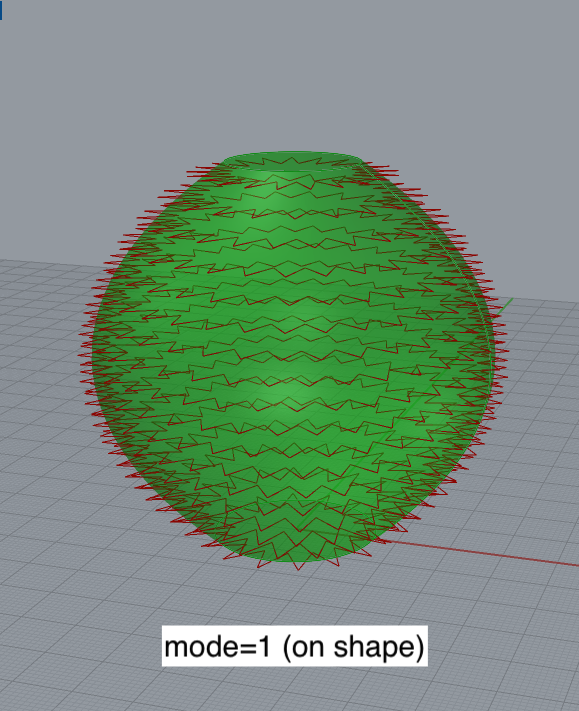
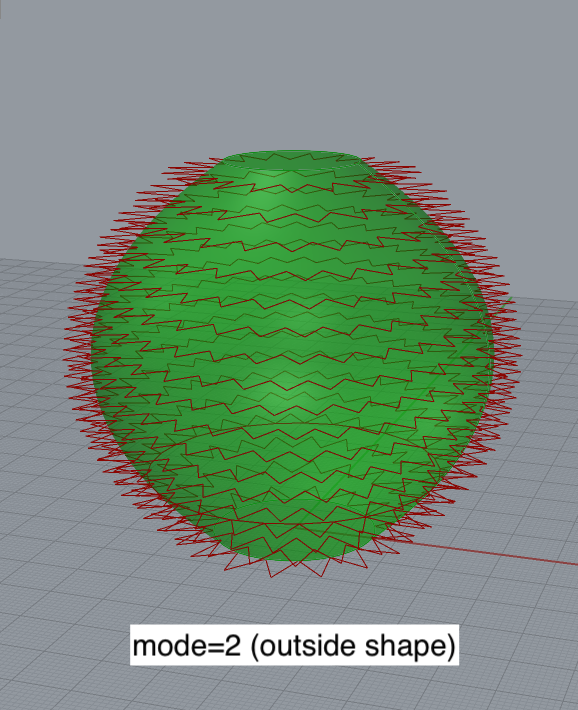
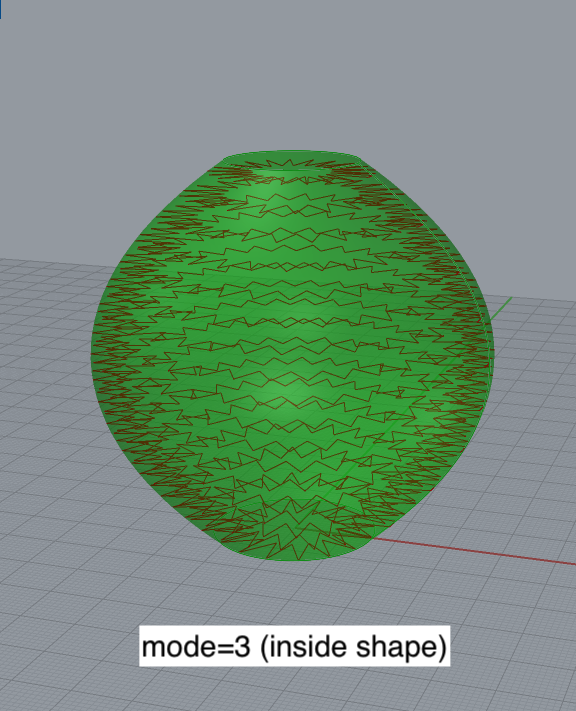
| weave_slice | Takes a shape as input. Slices the shape and outputs a toolpath. Can produce an optional .gcode file with the toolpath for 3D printing. Parameters: shape: the surface to slice. Must be a BREP--a closed or open Rhino surface. file (optional): the path to a .gcode file to write to. If a path is not given, the function will not write a .gcode file. Note: you may want to change the beginning of the .gcode file that is produced, replacing the setup instructions produced by the WeaveSlicer library with ones that correspond to your 3D printer. See information about the weave_slice_turtle function (below) which offers more control over 3D printer parameters via the Extruder Turtle library. layer_height (optional): The layer height to use for slicing the shape. Default value: 1.0 mm. wall_width (optional): the desired wall width for your print. Default value: 3.0 mm. period (optional): the period of the oscillating path. This is the distance between each oscilation. Default value: 3.0 mm. mode (optional): determines where the path oscillates, relative to the input surface. mode=1 (default): path is on the surface. mode=2: path is offset to the outside of the surface. mode=3: path is offset to the inside of the surface. Default value: 1 (on surface).
bottom_layers (optional): sets the number of bottom layers that should be printed. Default value: 0 (no bottom layer). Returns: toolpath: the toolpath produced by WeaveSlicer as a list of Rhino lines. Example: import weave_slicer as ws tp=ws.weave_slice(shape, file=path, layer_height=1.5, wall_width=4.0, bottom_layers=3) | |||
| weave_slice_turtle | Takes a shape as input. Slices the shape and outputs a toolpath. Can produce an optional .gcode file with the toolpath for 3D printing. Requires an Extruder Turtle object that keeps track of the .gcode file and printer parameters. Parameters: t: an Extruder Turtle object that is used to generate the .gcode path.
wall_width (optional): the desired wall width for your print. Default value: 3.0 mm. period (optional): the period of the oscillating path. This is the distance between each oscilation. Default value: 3.0 mm. mode (optional): determines where the path oscillates, relative to the input surface. mode=1 (default): path is on the surface. mode=2: path is offset to the outside of the surface. mode=3: path is offset to the inside of the surface. Default value: 1 (on surface). See diagram above. bottom_layers (optional): sets the number of bottom layers that should be printed. Default value: 0 (no bottom layer). Returns: N/A. The toolpath is associated with the Extruder Turtle object, use t.get_lines() to visualize the toolpath where t is the Extruder Turtle object.Example: import extruder_turtle import weave_slicer as ws from extruder_turtle import * t = ExtruderTurtle() t.setup(filename=path_to_file, printer = "micro") t.set_layer_height(1.0) ws.weave_slice_turtle(t,shape, wall_width=5.0, mode=3) t.get_lines() |
Installation
Getting Started
Reference
Limitations