WeaveSlicer Library
Limitations
The library has some known limitations which are listed below:
Home
Installation
Getting Started
Reference
Limitations
Limitations
The library has some known limitations which are listed below:
- WeaveSlicer creates toolpaths for all wall surfaces in the passed-in shape. It works best on solid block forms or simple open surfaces. The walls of a design should be created by WeaveSlicer. They shouldn't be part of the model of your passed-in shape.
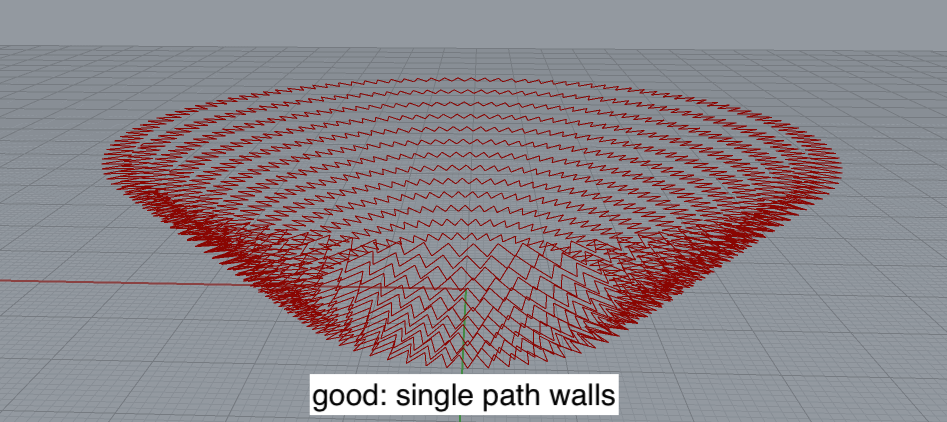
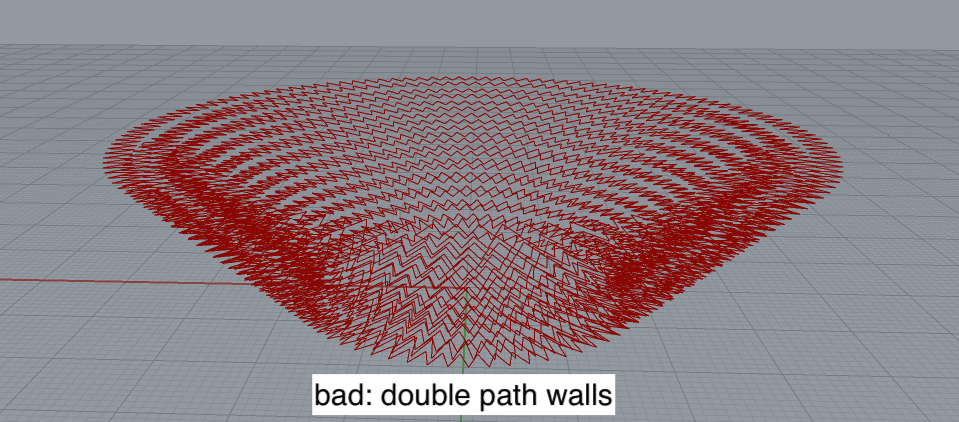
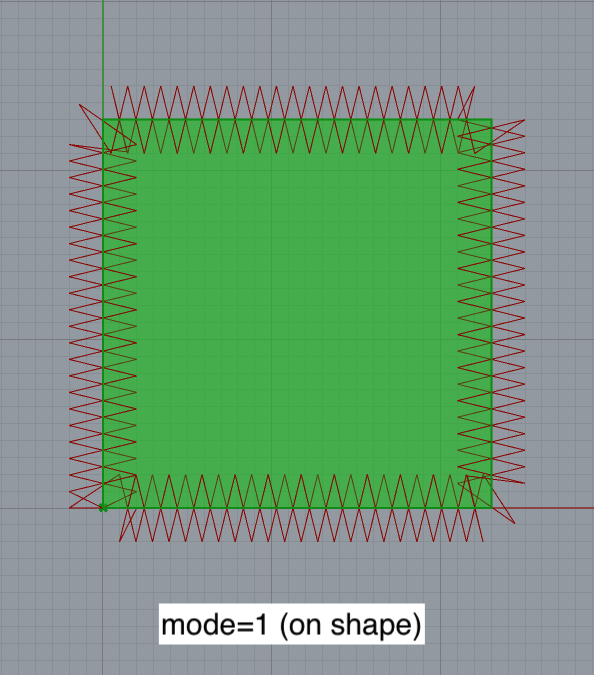
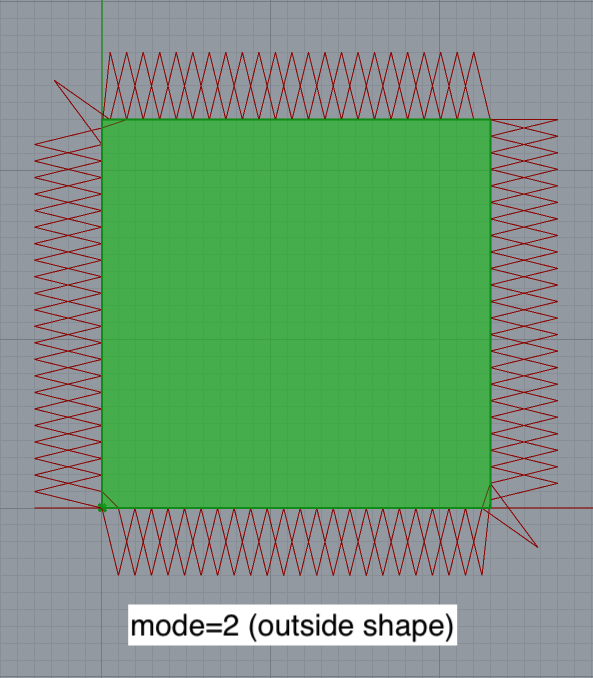
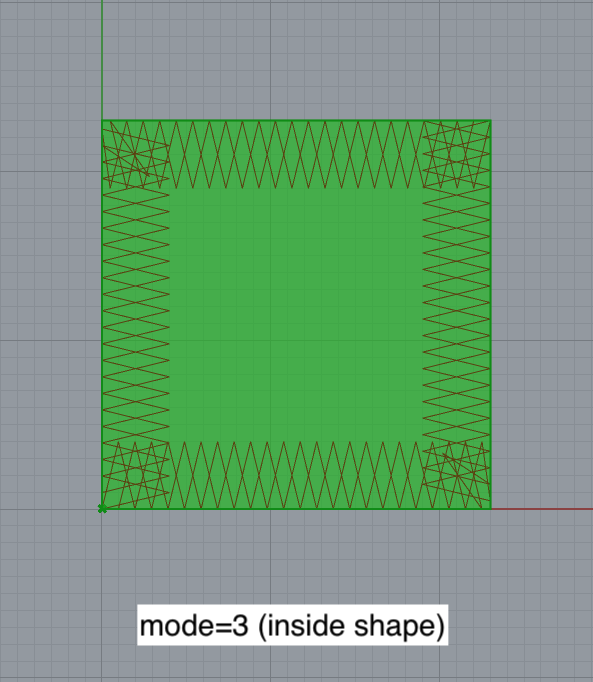
For example, to create a bowl toolpath, pass a BREP of a solid form that just defines the outer wall of the bowl. DO NOT pass a BREP that defines the interior and exterior walls of the bowl. The toolpath on the left image below was created from a solid model. Each layer consists of a single zig-zagging path. The toolpath on the right was created from a model with exterior and interior surfaces. Here, each layer consists of two zig-zagging paths--one for the exterior surface and one for the interior surface. This is almost always undesirable. - Models with sharp angles can result in either over-extrusion or under-extrusion at corners. See below for top down views of the three different toolpath modes used to slice a cube. mode=2 results in under-extrusion at the corners (center). mode=3 results in over-extrusion (right).
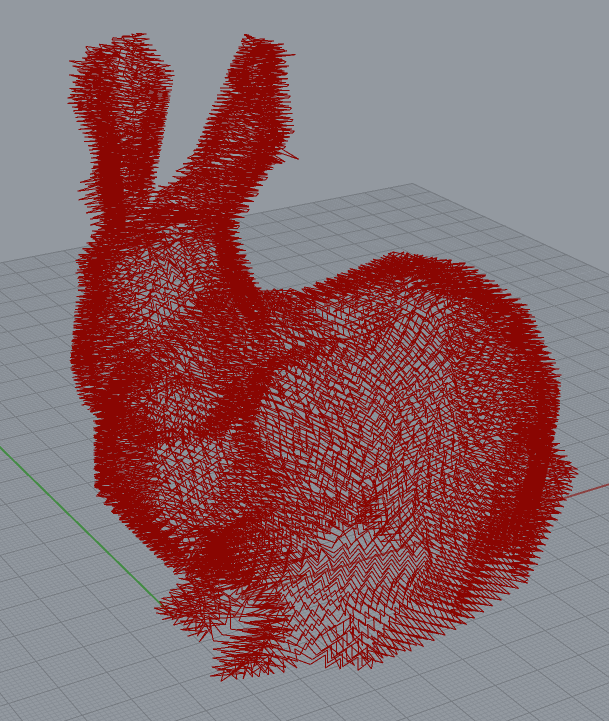
- Performance on complex branching models may be poor or uneven, depending on parameter values. For example, the toolpath below, for a Stanford bunny model, has some funky layers.
 |  |
 |  |  |
 |
Installation
Getting Started
Reference
Limitations