WeaveSlicer Library
Getting Started
This page introduces you to the library by working through an example Grasshopper program. The example file, weave_slicer.gh, can be found in the Extruder Turtle examples/weave_slicer_examples directory.
Getting Started
This page introduces you to the library by working through an example Grasshopper program. The example file, weave_slicer.gh, can be found in the Extruder Turtle examples/weave_slicer_examples directory.
| ||||
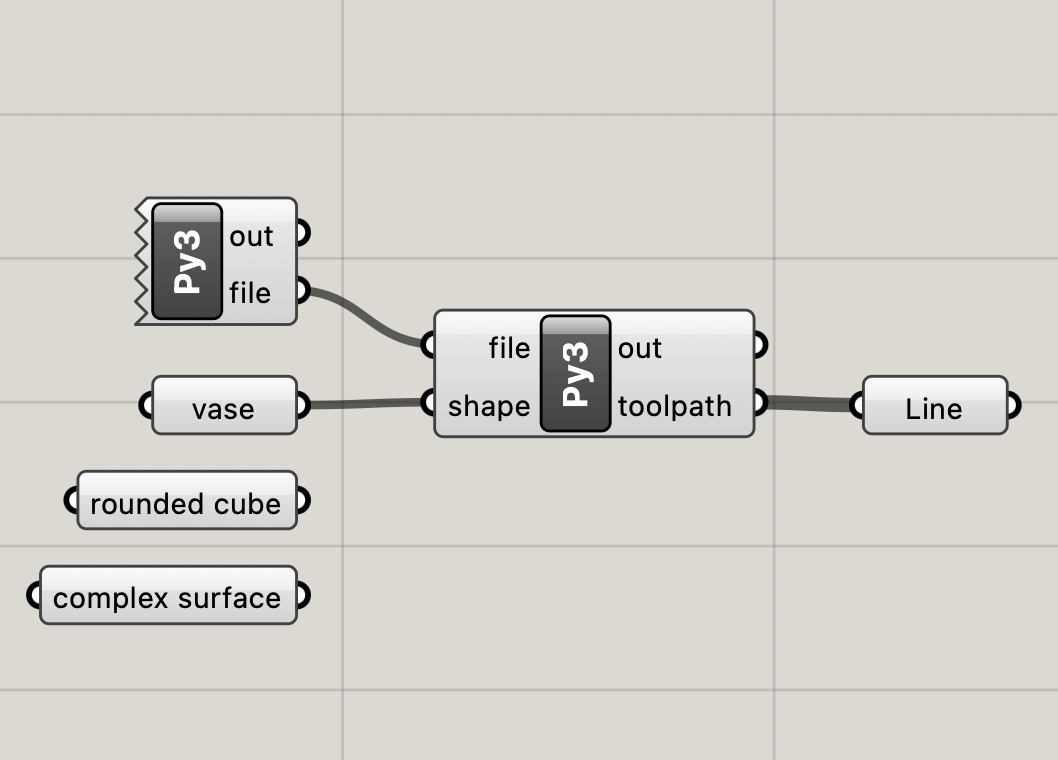
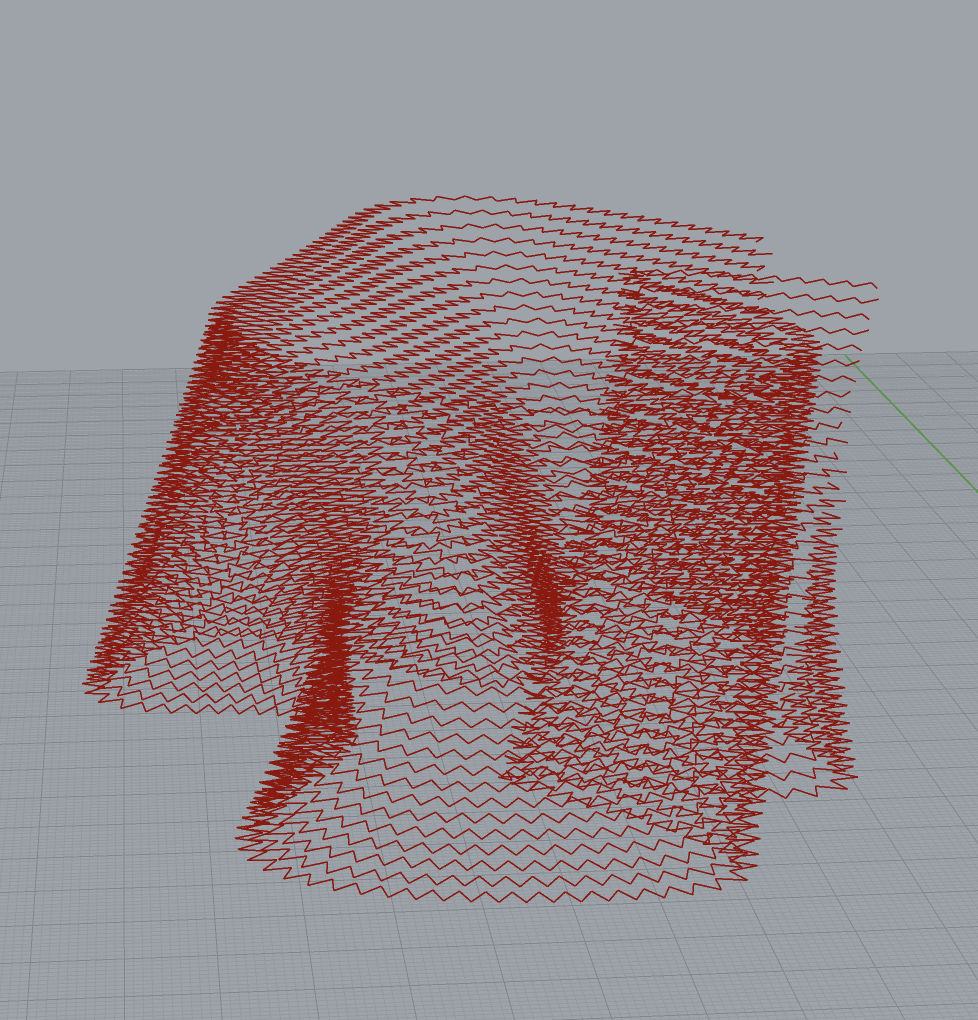
| This simple example is designed to help you understand the basic components of WeaveSlicer. It creates a toolpath for a simple vase. The file also contains two other example shapes that can be sliced. In the Grasshopper program above, the left Python block is used to open up a file to write gcode to. When you compile this block, a Save File dialog box will open, prompting you to save a file. Choose a location and name for your .gcode file. The name of this file is passed to the second Python block. This block is where WeaveSlicer code is written. Note: the second python block will continute writing to the specified .gcode file until the first python block is recompiled. The second Python block has two lines of code:  The first line tells the block to import the WeaveSlicer library. The second line calls the weave_slice function which generates the toolpath. This function call generates a toolpath with walls that are 3mm thick and layers that are 1.5mm tall. There is a 3mm period, which means are 3 millimeters between each oscillation on the "woven" toolpath. mode=3 means that the toolpath is set inside of the vase form. Finally, the toolpath has 3 bottom layers. The output of the second Python block is a list of lines that correspond to the toolpath that is generated. This output is connected to a Grasshopper Line block in the example. You can use the lines to visualize the toolpath in Rhino when you compile the block--see the right hand image above. If you change any of the parameters to the weave_slice function call, the toolpath will change and you can see these changes in Rhino. Slicing Different Shapes To slice a different shape, make sure it is a BREP and then connect it to the shape input on the second Python block. The three shapes in the example file showcase different kinds of geometry that can be sliced by WeaveSlicer. 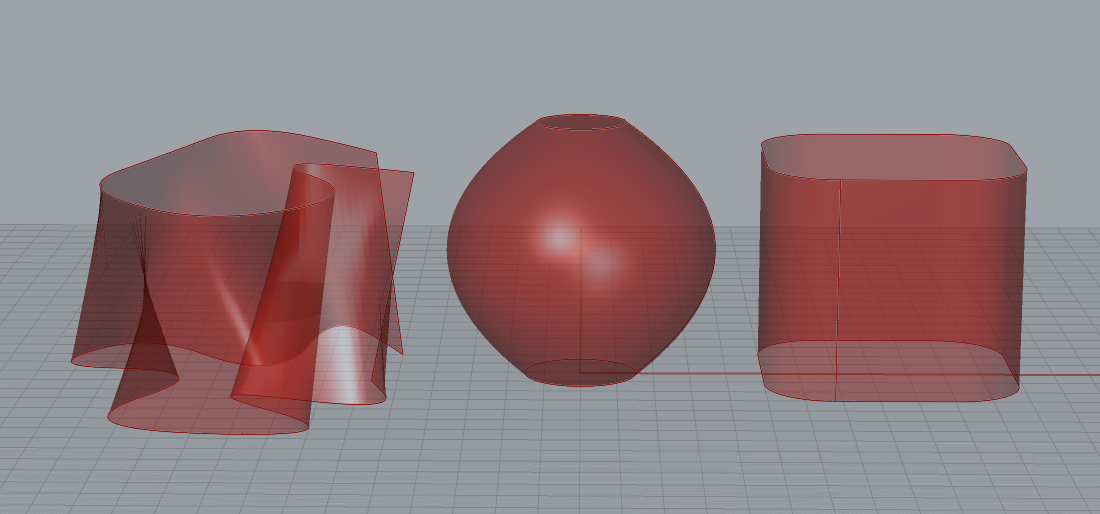 WeaveSlicer only works on BREPs--closed or open Rhino surface objects. All of the example shapes are BREPs. Each layer slice generated by WeaveSlicer is based on the outer curves of the surface(s) at a given layer height. vase is a closed surface where each layer is a closed curve. rounded cube is an open surface where each layer is a closed curve. complex surface is an open surface where each layer is an open curve. WeaveSlicer can create bottom layers for the vase and rounded cube shapes because their bottom layers are closed curves. It cannot create a bottom layer for complex surface because its bottom layer is an open curve. The images below show the generation of a toolpath for the complex surface shape.
More Information Before you start using WeaveSlicer to slice your own models, you should look through the Reference Page to get a sense of the library's full capabilities. You may also want to read the Limitations Page to understand and avoid some common potential problems. | ||||


Installation
Getting Started
Reference
Limitations